Scanning 250,000 macOS files in under a second
How SmartTree pairs getattrlistbulk(2) in Rust with native SwiftUI views, low peak memory, and guardrailed cache cleanup.
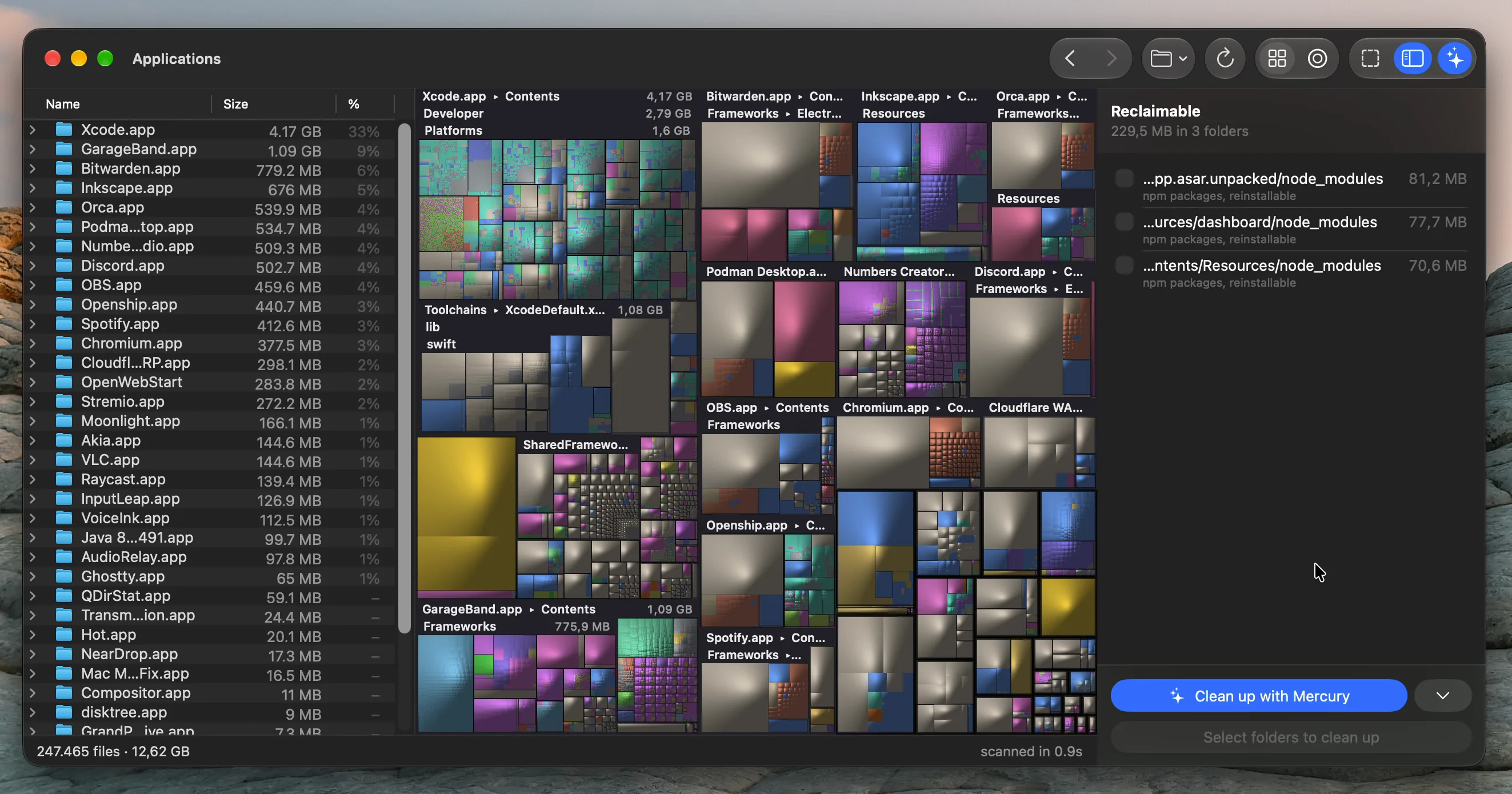
Disk analyzers are judged in the first second after launch. When scanning /Applications or a multi-hundred-gigabyte development volume stalls with a spinning indicator, you close the app before you even inspect the map.
SmartTree 2.0 was engineered around sub-second traversal on Apple silicon and explicit cleanup safety rather than decorative dashboards.
Rust getattrlistbulk(2) and openat(2) traversal
The scan engine walks local APFS and HFS+ volumes in Rust using getattrlistbulk(2) paired with directory file descriptors via openat(2), avoiding redundant stat syscalls per entry and minimizing path allocations.
On repeated benchmarks scanning /Applications (247,465 files, 12.6 GB):
- Whole-app scan (UI rendered):
0.79–0.85 s - Scan engine alone:
0.53–0.69 s - Whole-app peak memory:
~138 MB(20.5–22.3 MBinside the scan engine)
Hard-linked files are deduplicated by inode, clonefile blocks are preserved safely, and network volumes or mounted .dmg installers are excluded by filesystem properties rather than brittle name lists.
One shared selection across three views
SmartTree displays three synchronized representations of your drive:
- Cushion-shaded treemap for spotting large subtrees visually.
- Finder-style outline list for drilling into paths and reading exact sizes.
- Concentric rings for inspecting multi-level folder hierarchies.
Keyboard focus, multi-selection (⌘-click, Shift-click, ⌘A), folder history (⌘[, ⌘]), and Trash/permanent deletion (Delete, Shift+Delete) share one owner across every surface — selecting a parent folder automatically reconciles nested selections so reclaimed space is never counted twice.
Cleanup with hard boundaries
The built-in Clean Up panel finds safe, rebuildable developer caches (node_modules, Rust target, Xcode DerivedData, Homebrew, pnpm, npm, uv, Cargo, pip, CocoaPods, and SwiftPM) completely offline.
If you optionally configure Ollama, LM Studio, or an OpenAI-/Anthropic-compatible endpoint in Settings → Model Providers (keys stored in macOS Keychain), only a path-and-size summary leaves your machine — never file contents — and strict safety rules block user documents, git repositories, signed app bundles, running app caches, and projects edited within the last two days.